> For the complete documentation index, see [llms.txt](https://docs.opendatabay.com/llms.txt). Markdown versions of documentation pages are available by appending `.md` to page URLs; this page is available as [Markdown](https://docs.opendatabay.com/for-data-providers/profile-setup.md).
# Profile Setup
Setting Up Your Data Provider Profile on Opendatabay
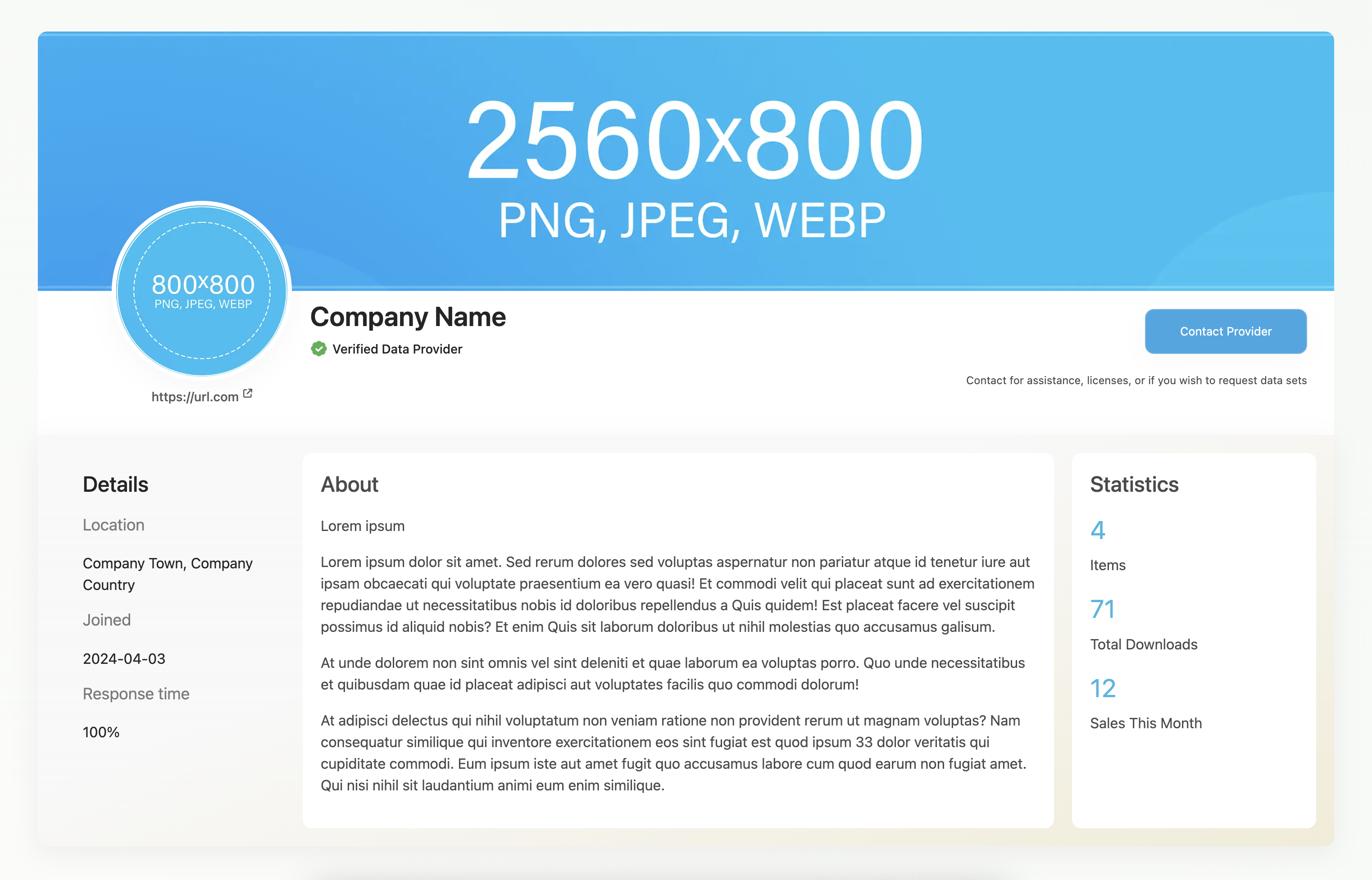
Data Provider profile visuals and sizes
To get started with your data provider profile on Opendatabay, follow these steps to ensure a complete and attractive profile setup.
**1. Basic Information**
* **Provider Name**: Enter the name of your organisation (Company Name) or data provider name. (Max 20 Characters)
* **Description**: Provide a comprehensive description of your organisation (About), the type of data you offer, and any relevant background information. You can enhance your description using [Markdown](/for-data-providers/markdown-language.md) (.MD) language, which allows for better formatting and more options. For example, you can include:
* **Headings**: Use `#` for headings.
* **Bold and Italics**: Use `**bold**` or `_italic_` for emphasis.
* **Lists**: Create bullet points with `-` or `*`.
* **Links**: Add hyperlinks using `[text](url)`.
**2. Visuals**
* **Logo**: Upload your logo. Ensure it is in PNG, JPEG or WEBP format with dimensions of 800x800 pixels.
Profile Logo on Opendatabay Guides
* **Banner**: Upload a banner image that represents your brand. Ensure it is in PNG, JPEG or WEBP. The recommended size for the banner is 2560x800 pixels.
Profile Banner on Opendatabay Guides
**3. Location and Contact Details**
* **Location**: Specify the geographic location of your organisation. Town and Country
* **Contact Information**: Provide contact details for assistance, licensing inquiries, and dataset requests.
* Email address
* Website
* Social Media. (LinkedIn, Twitter (X), Facebook, GitHub)
**4. Profile Details**
* **Join Date**: Automatically set when you create your profile.
* **Statistics**: Automatically keeps track of key statistics such as:
* Number of Data Products Listed
* Total Downloads
* Sales This Month